using Milk First
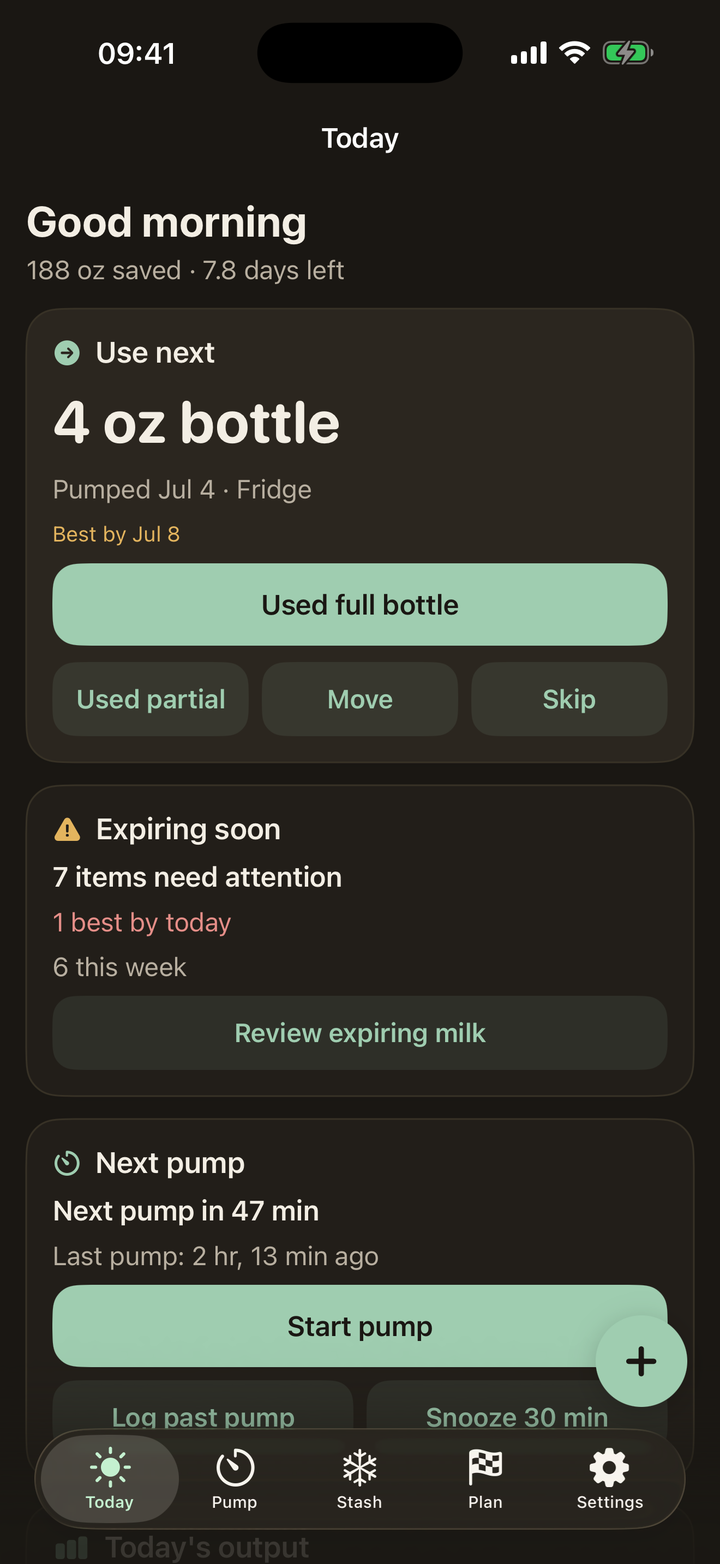
Dark mode, undo, and the 3 AM design
Quick answer: Milk First follows your phone's dark mode with a warm, low-blue palette (blue wavelengths are the melatonin killers), and every destructive action has undo: used bags, moves, discards, whole pump saves. Nothing you do half-asleep is permanent.
The dark mode that respects melatonin
Most dark modes are blue-black, which fights sleep chemistry at the exact hour you need it least. Milk First's night palette is warm charcoal and soft sage, dim by design. It turns on with iOS dark mode or your scheduled Night Shift hours; no in-app setting needed.
Undo, everywhere, deliberately
Every action that changes your stash pops an undo toast for several seconds, and recent actions stack, so a sleepy triple-tap unwinds cleanly. The design assumption is simple: the user is exhausted, and the app should absorb the mistakes.
Every guide on this page is two taps in the app. Download free and try it with your own stash.
Get Milk First free